demo-table
Extend Bolt
Download a working Bolt App, see it run in about five minutes, then have your coding agent make your own.
demo-tiles).
In Settings → About Bolt, click the version number 7 times. A Labs page appears in the Settings sidebar.
Open Settings → Labs, find the Experimental group and switch on Rich widgets for launcher apps.
It takes effect the next time an app runs.
scrub-pii (one file, no script) or demo-table (a file and a script).
.yaml file there. Save any .py file in a folder named scripts inside it, and create that folder if it is not there.
Then click Reload.
=demo-table and press Enter, or type =scrub-pii followed by text that holds an email address.
Open folder always shows the right place. It is a folder named user-utils inside Bolt's app-data folder:
~/Library/Application Support/<Bolt's folder>/user-utils/~/.local/share/<Bolt's folder>/user-utils/%APPDATA%/<Bolt's folder>/user-utils/Scripts go in the scripts folder inside user-utils.
Each file is an exact copy of the sample that ships with Bolt 0.1.176 and passes the Agent guide checks (schema and command rules). Samples marked Made-up data use canned rows, so they need no account and no network.
| App | Kind | What it does | Needs | Files |
|---|---|---|---|---|
scrub-pii | Transform | Masks SSNs and emails in text you paste, then strips hidden characters. Nothing leaves your computer. | Nothing. No script. | Download scrub-pii.yaml |
branch | Transform | Turns ticket text like PROJ-123: Fix login loop into a git branch name and a commit stub. | Nothing. No script. | Download branch.yaml |
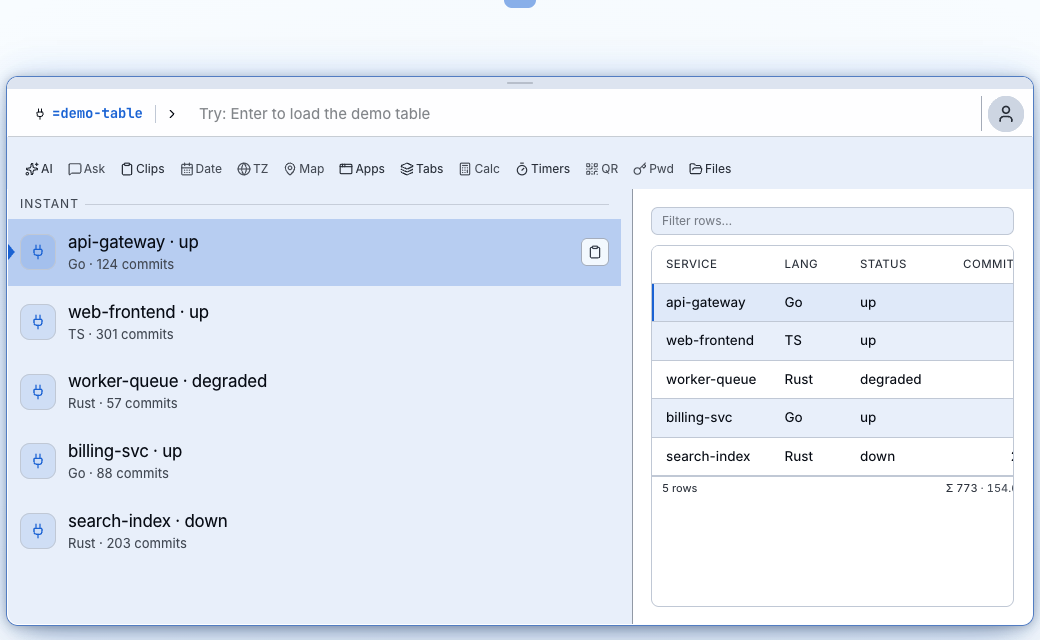
demo-table | Bridge list, table pane | A list of services on the left, a table on the right. Made-up data. | Python 3. Script below. | Download demo-table.yaml Download bolt-demo.py |
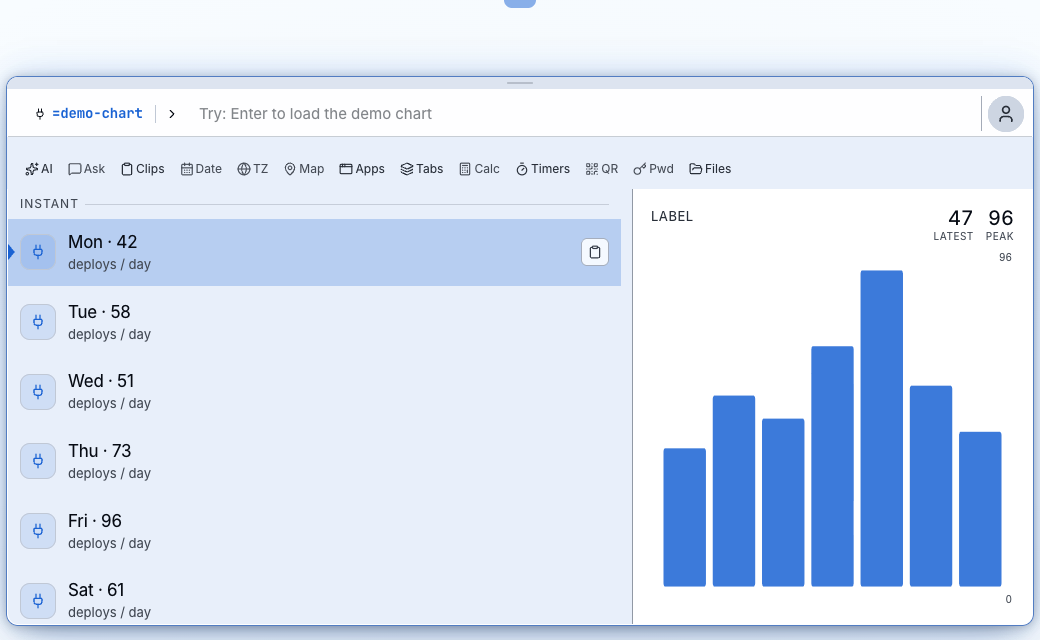
demo-chart | Bridge list, chart pane | A bar chart of deploys per day. Made-up data. | Python 3. Same script as demo-table. | Download demo-chart.yaml Download bolt-demo.py |
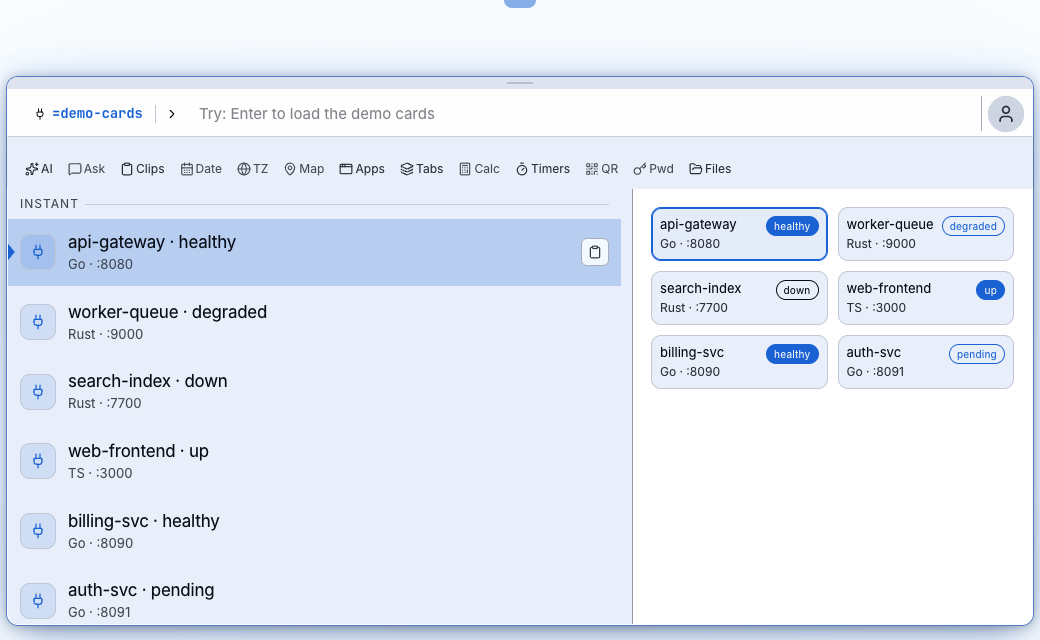
demo-cards | Bridge list, cards pane | Service cards with status badges. Made-up data. | Python 3. Same script. | Download demo-cards.yaml Download bolt-demo.py |
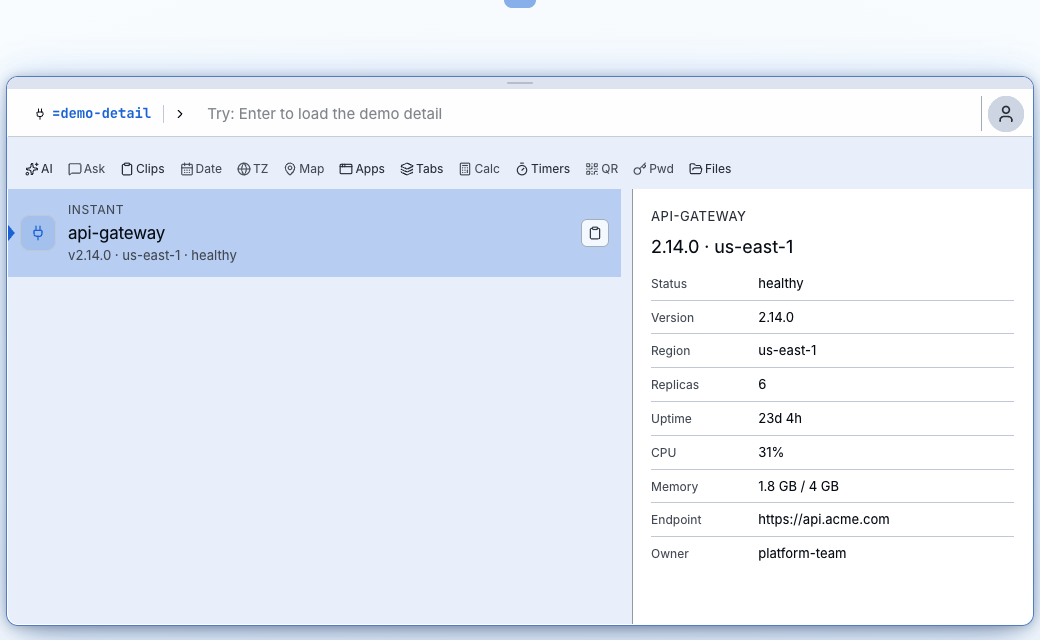
demo-detail | Bridge list, detail pane | Pick a row, see its label and value pairs. Made-up data. | Python 3. Same script. | Download demo-detail.yaml Download bolt-demo.py |
demo-tiles | Bridge list, cards pane (Rich widgets) | Number tiles with a change, a trend line and a meter. With the Rich widgets switch off you get the plain card grid instead. | Python 3, and the Rich widgets switch for the tiles. | Download demo-tiles.yaml Download bolt-demo.py |
Mac only: none of these seven. The scripts are plain Python and the YAML carries commands for macOS, Linux and Windows
(python3 on macOS and Linux, python on Windows). We have run them on a Mac.
Python 3 has to be installed, and on Windows it has to be reachable as python.
More samples are coming after a safety pass.
Real launcher screenshots of these apps. The rows are sample data built into the apps, not anyone's real services.
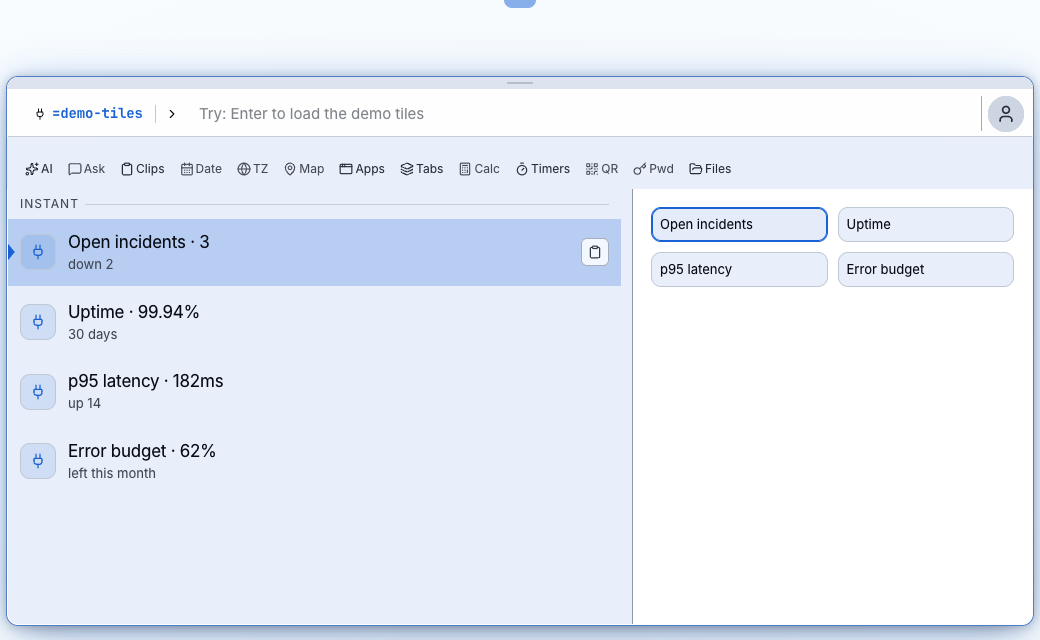
scrub-pii and branch are text transforms: you type =branch PROJ-123: Fix login redirect loop and press Enter to copy the result, so there is no pane to show.
Labs is hidden until you click the version number 7 times in Settings → About Bolt. Its switches are off by default and may change or go away. These two matter for Bolt Apps:
| Switch (Settings → Labs → Experimental) | What it does | Default |
|---|---|---|
| Rich widgets for launcher apps | Lets apps show number tiles with a change, a trend line and a meter, and tables with chosen totals and a starting sort. Apps that do not ask for these look the same either way. Takes effect the next time an app runs. | Off |
| Bolt Apps | Adds a Bolt Apps page to Settings. You do not need it for anything on this page. | Off |
Use a Mac if your app runs a script: that is where we have run the scripts here. On Windows and Linux you can build YAML apps that transform text, like
scrub-pii and branch, which have no script at all.
An app with a script runs as you, on your own device, so read it before you save it. Sharing an app with other people and installing one from a gallery come later; for now you hand over plain files.
Give your coding agent the Agent guide (plain Markdown) and the YAML schema. Paste this, and fill in the last sentence:
Read https://sparcle.app/docs/extend/agent-guide.md and use
https://sparcle.app/bolt-app.schema.json to check the YAML.
Write me a Bolt App that <what you want, in one sentence>.
Give me the YAML file, and the script if it needs one, as plain files.
Save what it writes the same way as Steps 4 and 5. Bolt lists a file with a mistake and the reason when you click Reload. More: Quickstart, User Apps reference, all samples.