Tiles with meters, trends and badges
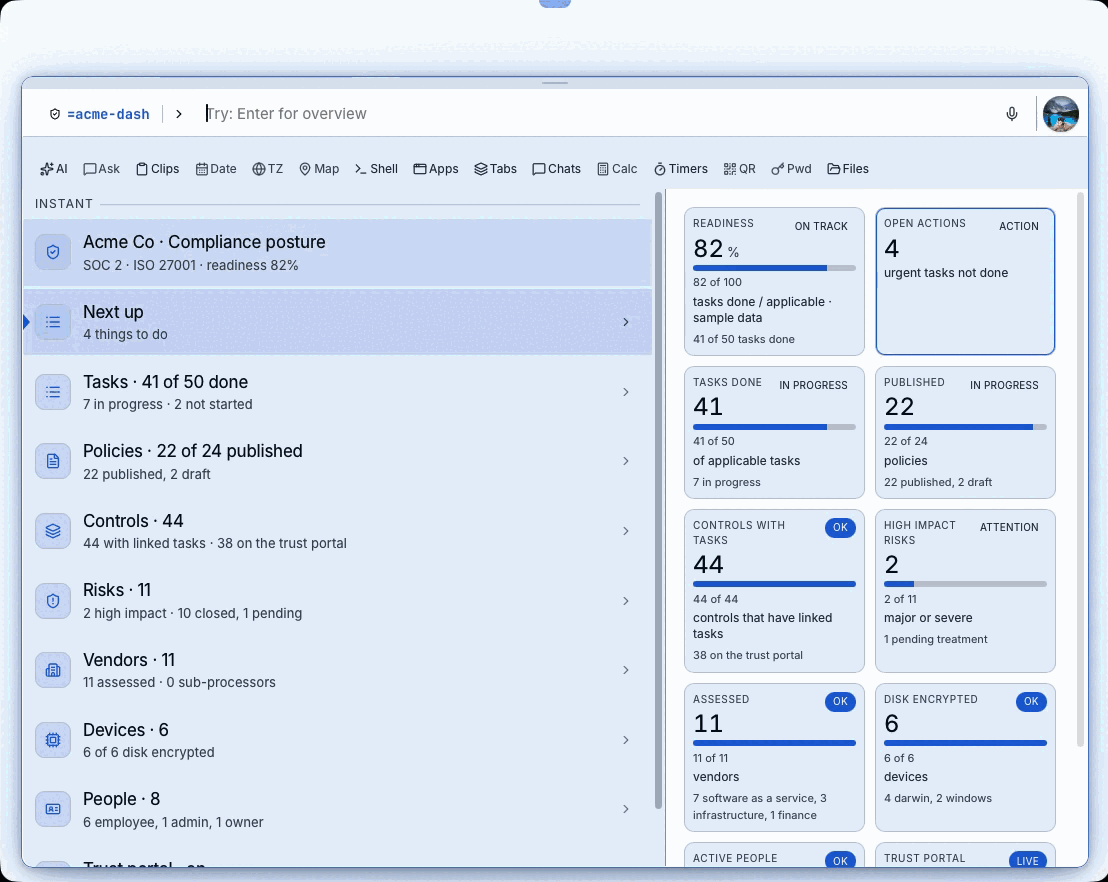
Compliance posture as tiles: a number, a meter and a status badge for each.
Extend Bolt
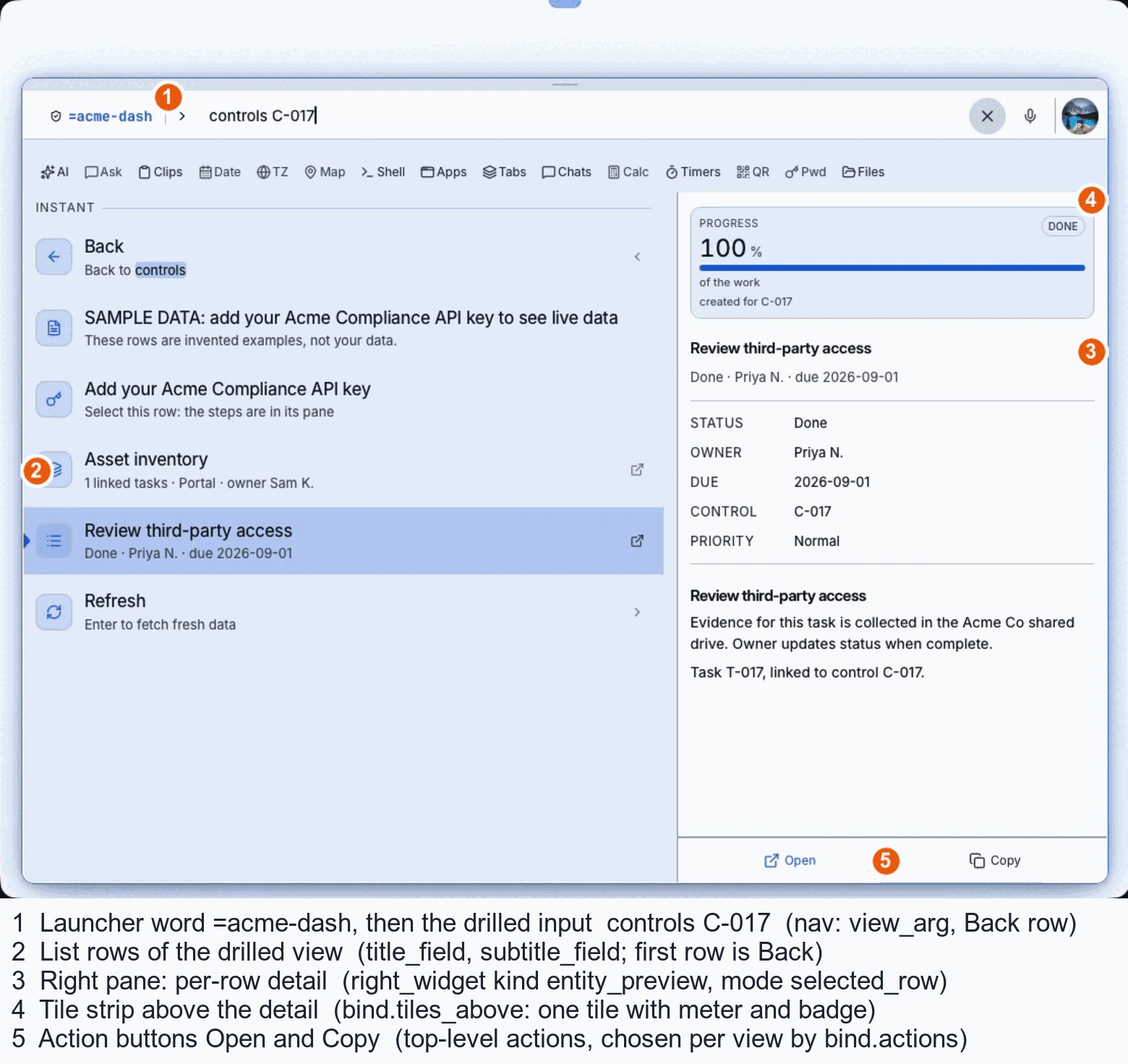
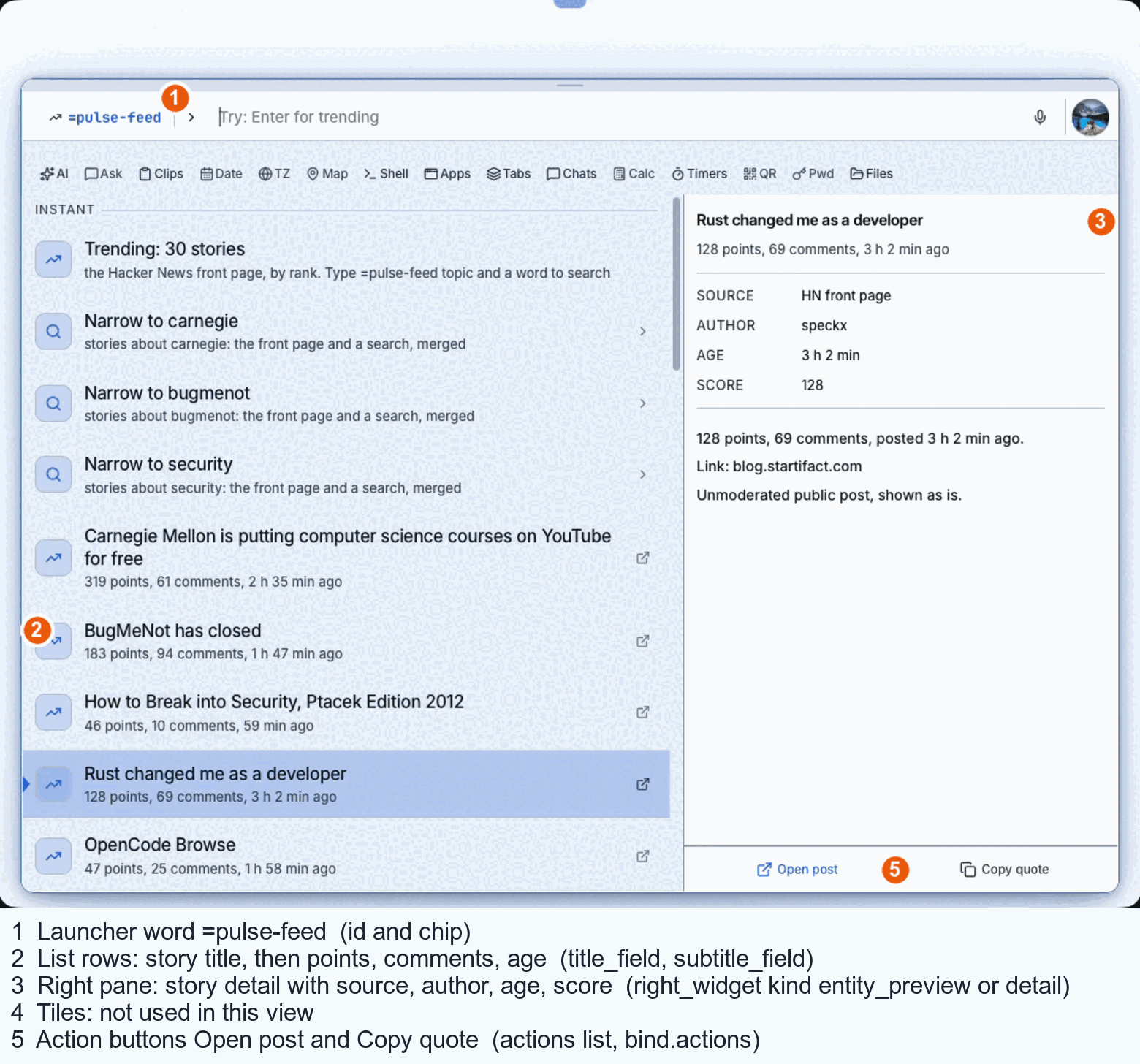
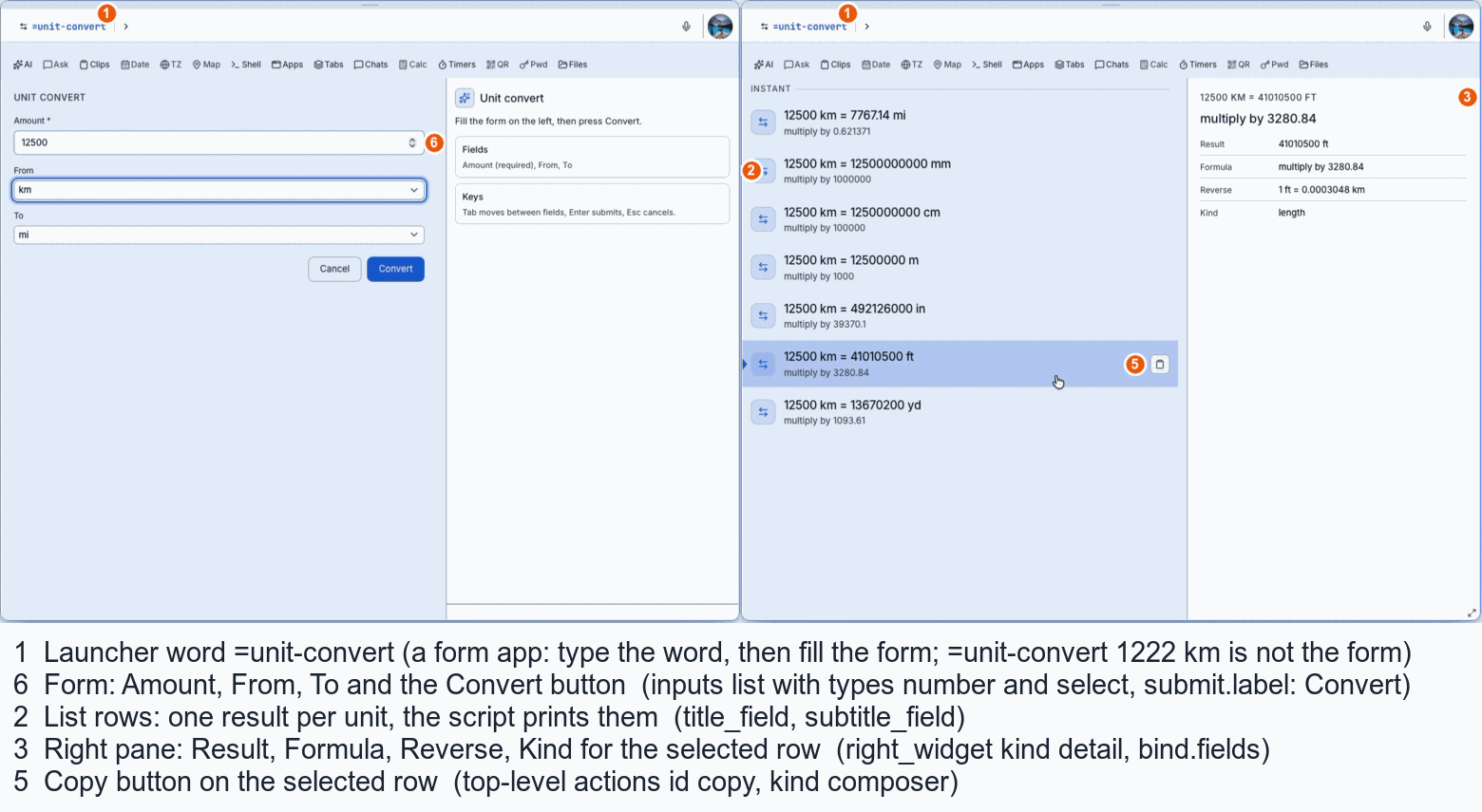
Real screens, numbered. Each number is a key in the app file, so you can see what to change to get the layout you want.
Numbers on each picture: 1 launcher word, 2 list rows, 3 right pane, 4 tiles, 5 action buttons, 6 form. The table for every number, with the exact lines copied from the example files and the matching row in capabilities.json, is in Anatomy of a Bolt App on GitHub.
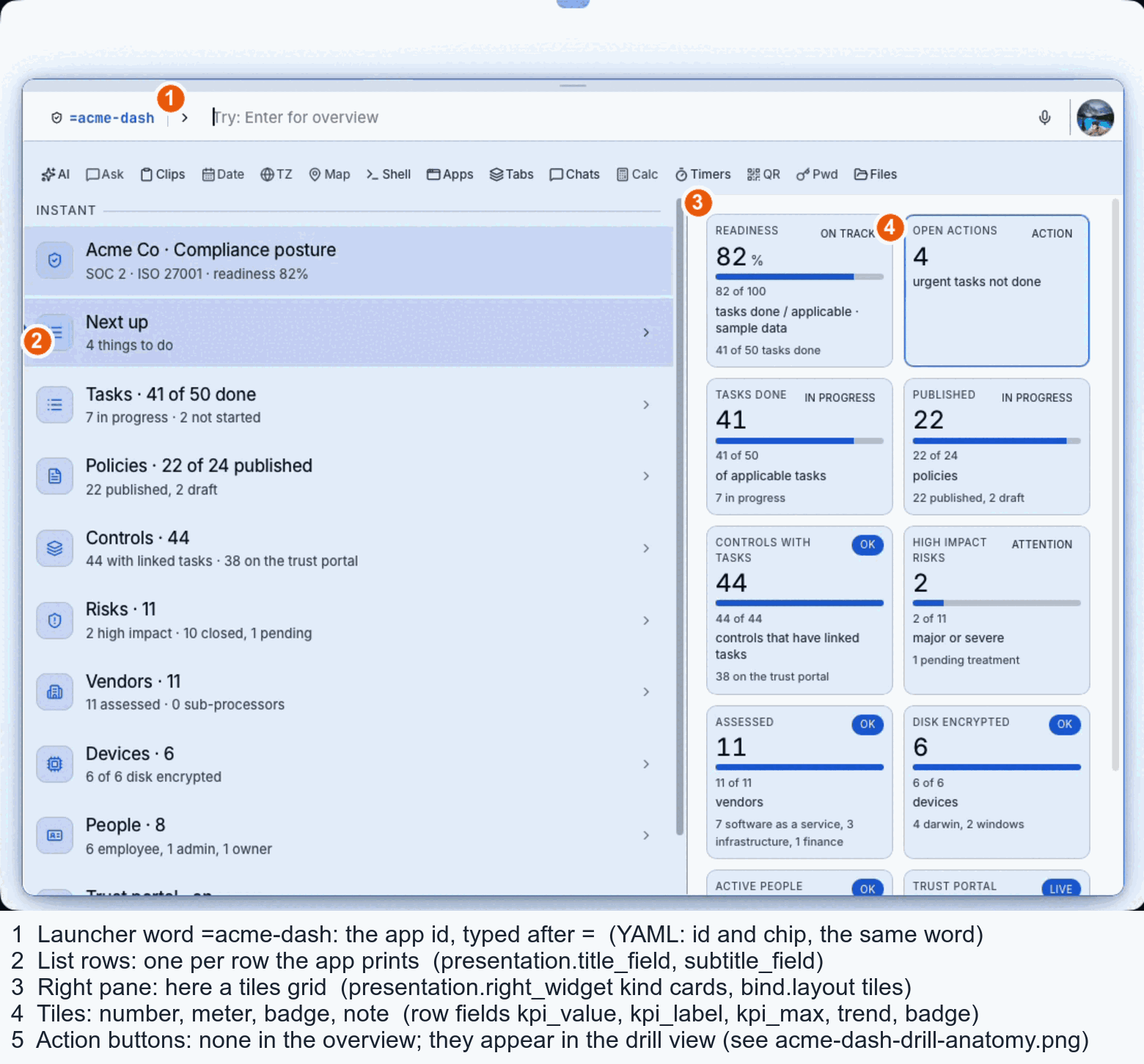
Compliance posture as tiles: a number, a meter and a status badge for each.
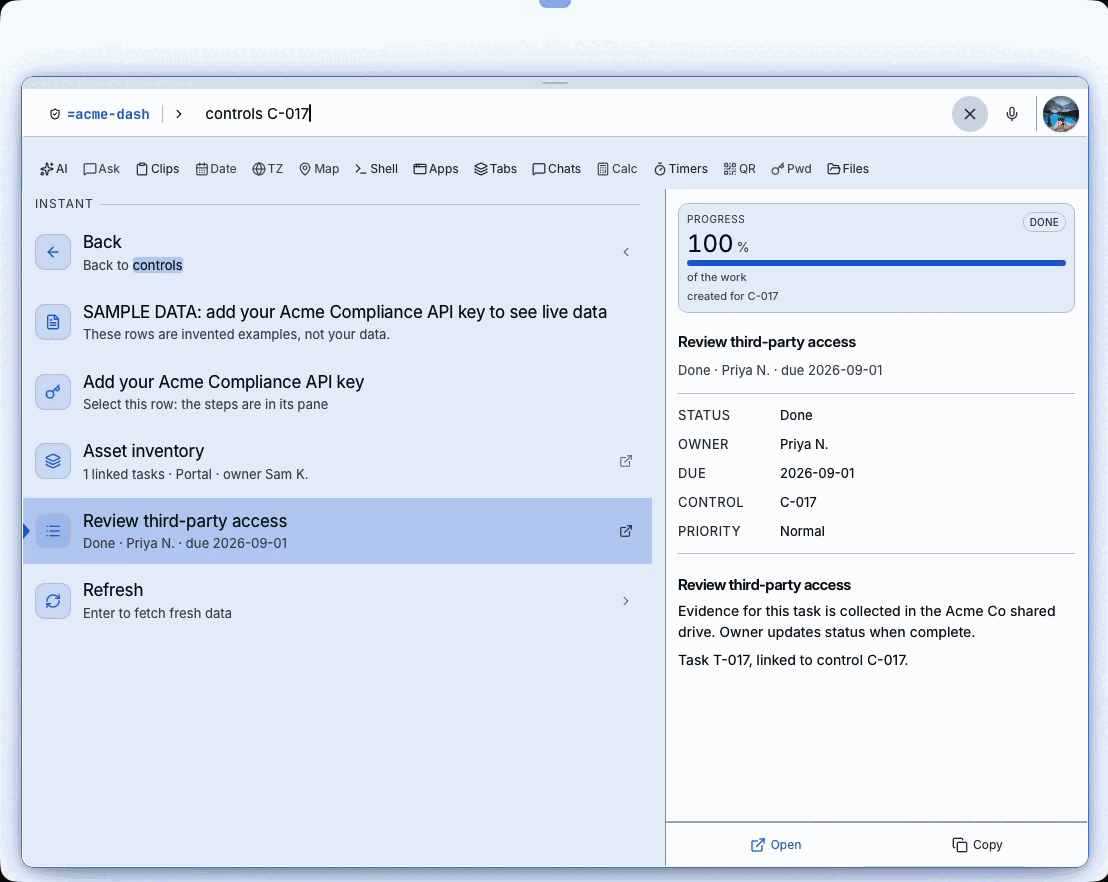
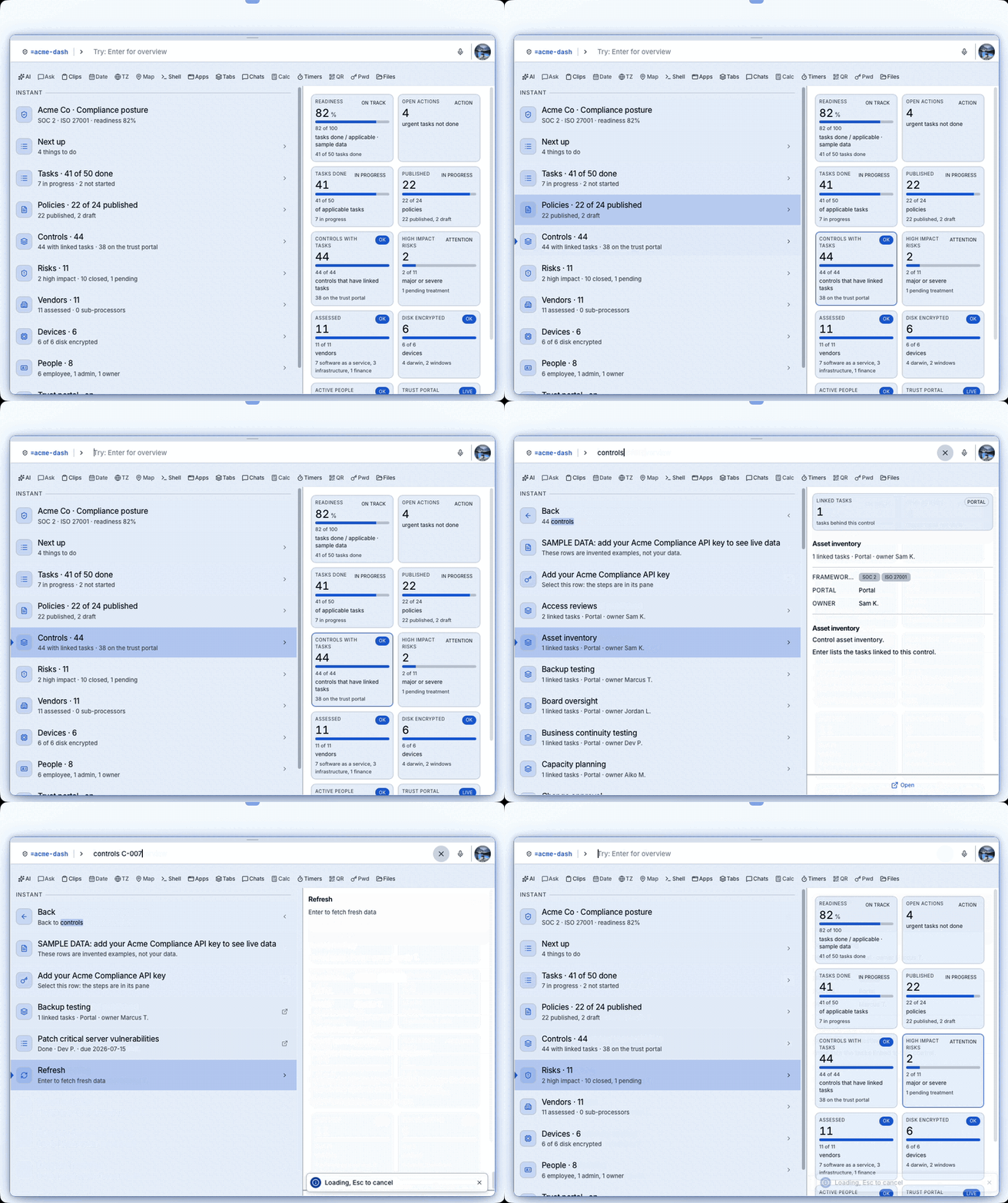
Press Enter on a row to drill in; the first row is always Back.
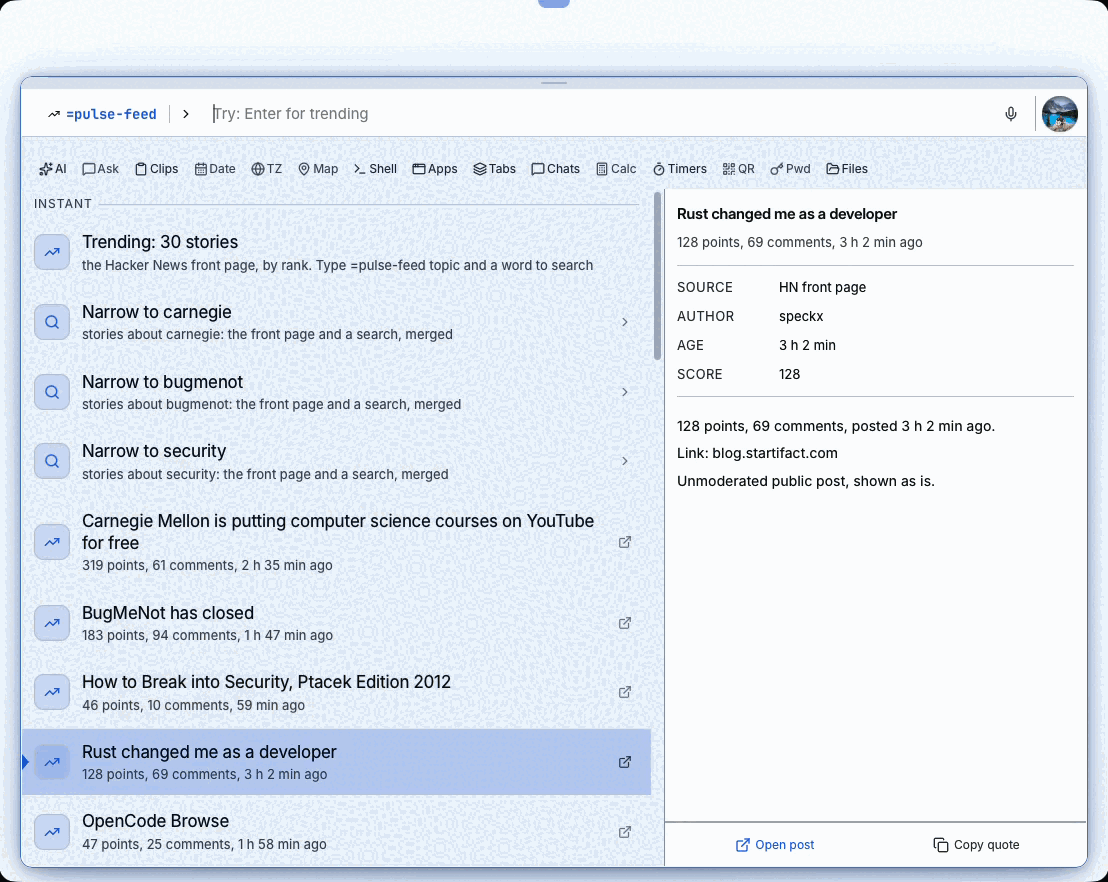
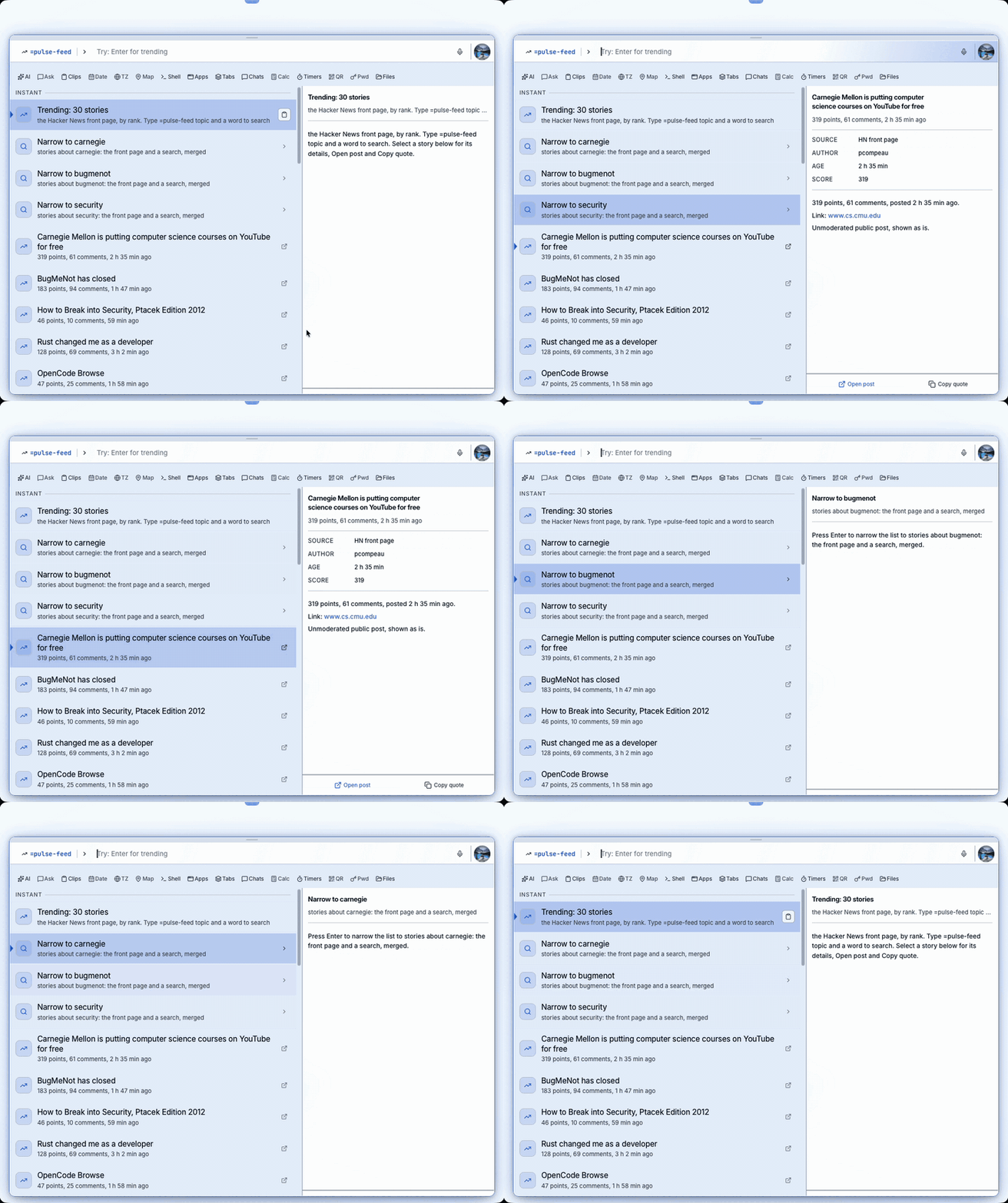
Each story gets its own pane, with Open post and Copy quote.
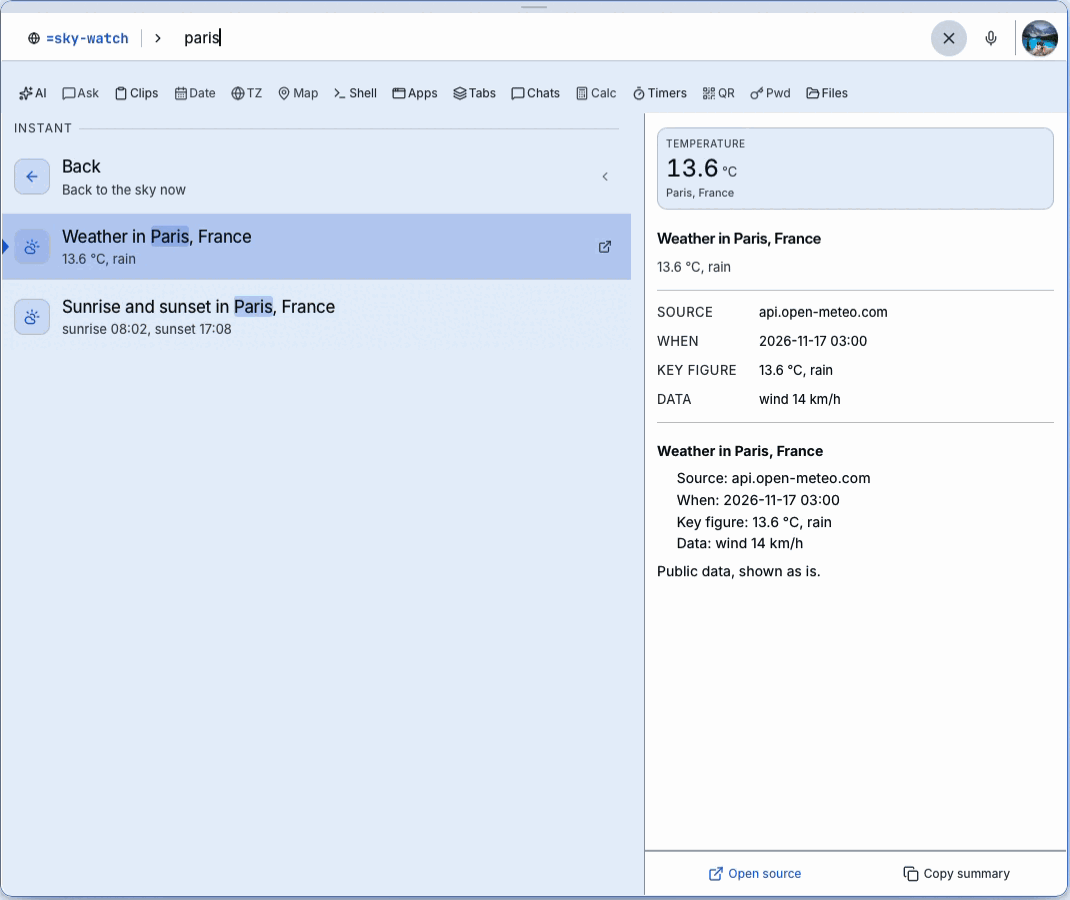
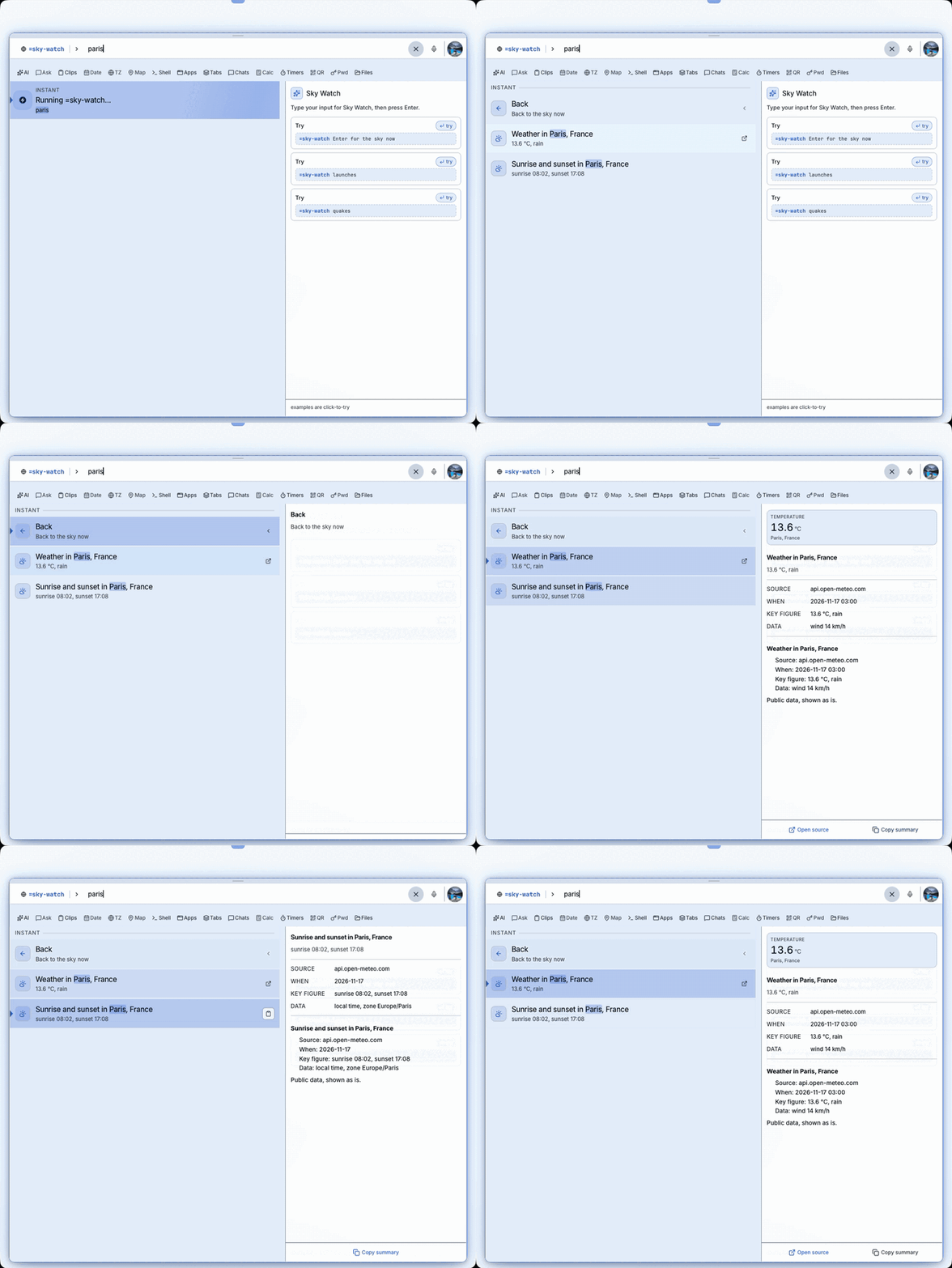
Type a city and get a temperature tile with the facts below.
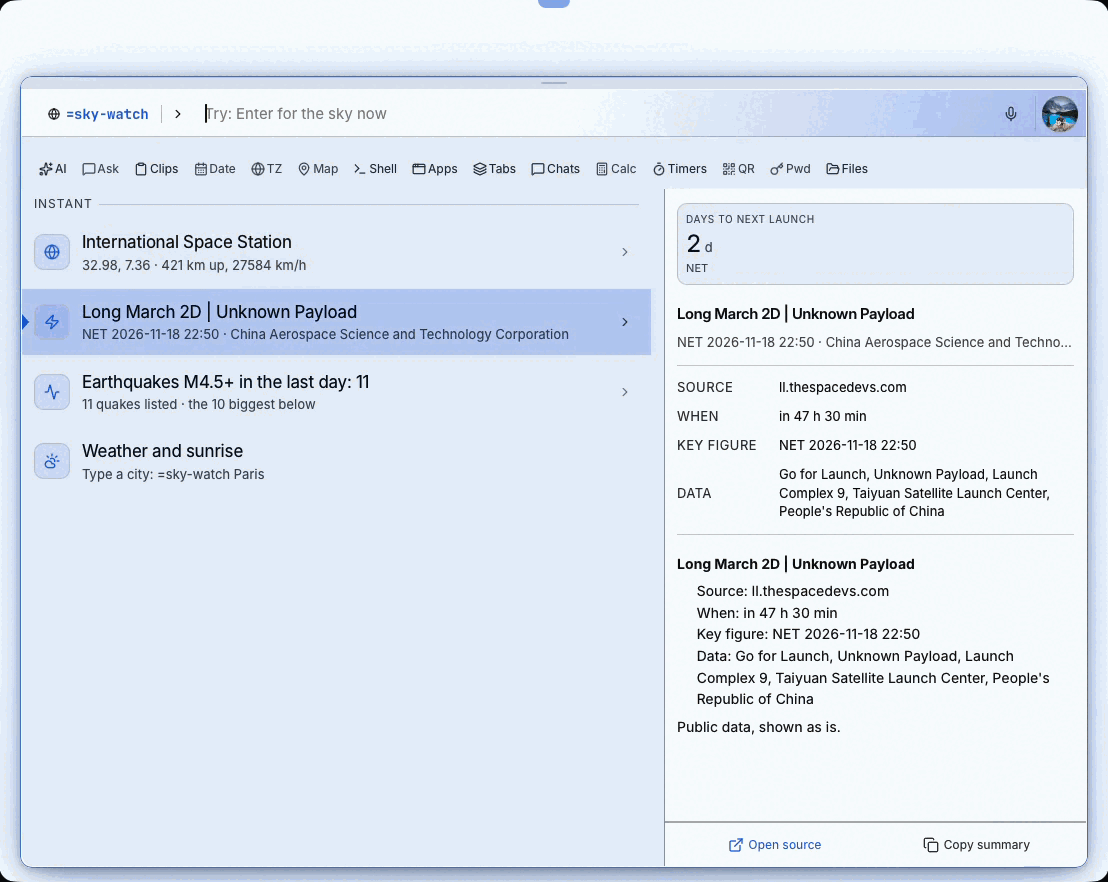
One word, four sources: the space station, launches, quakes and weather.
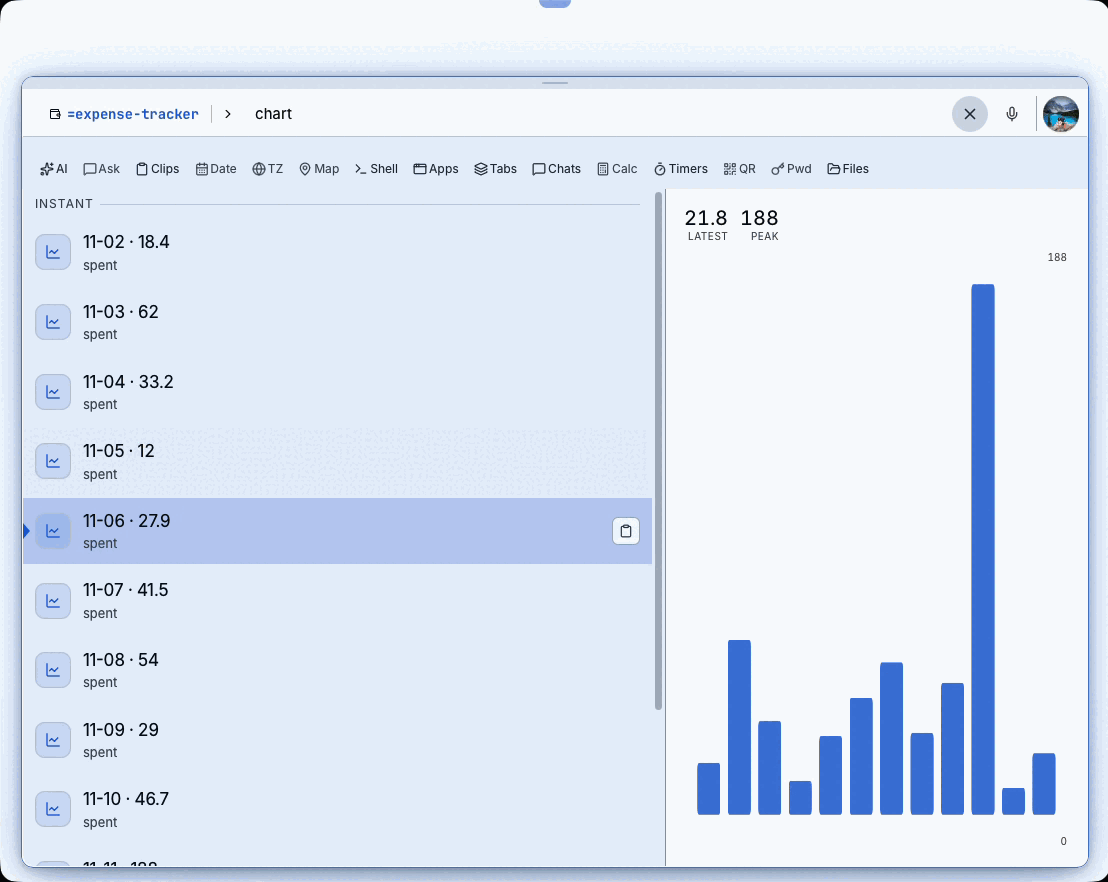
A bar chart of daily spending next to the numbers.
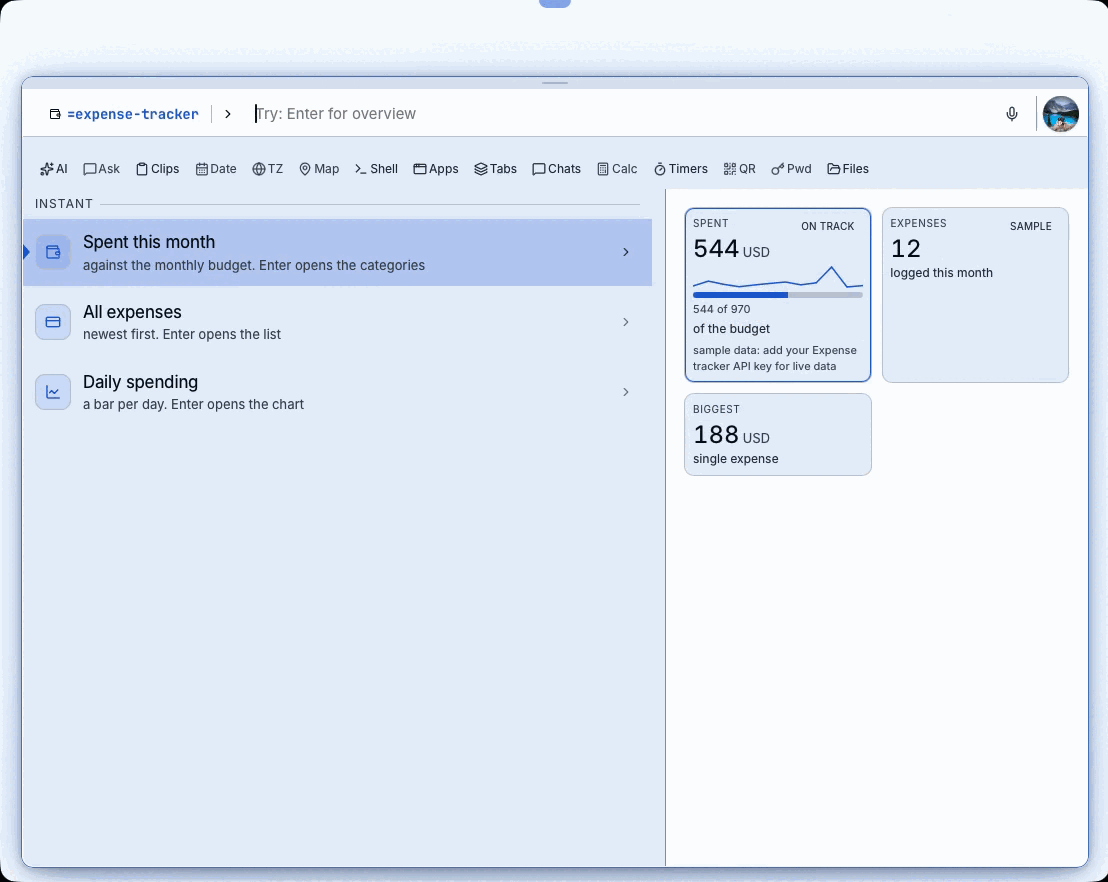
Spent this month against the budget, labelled as sample data.
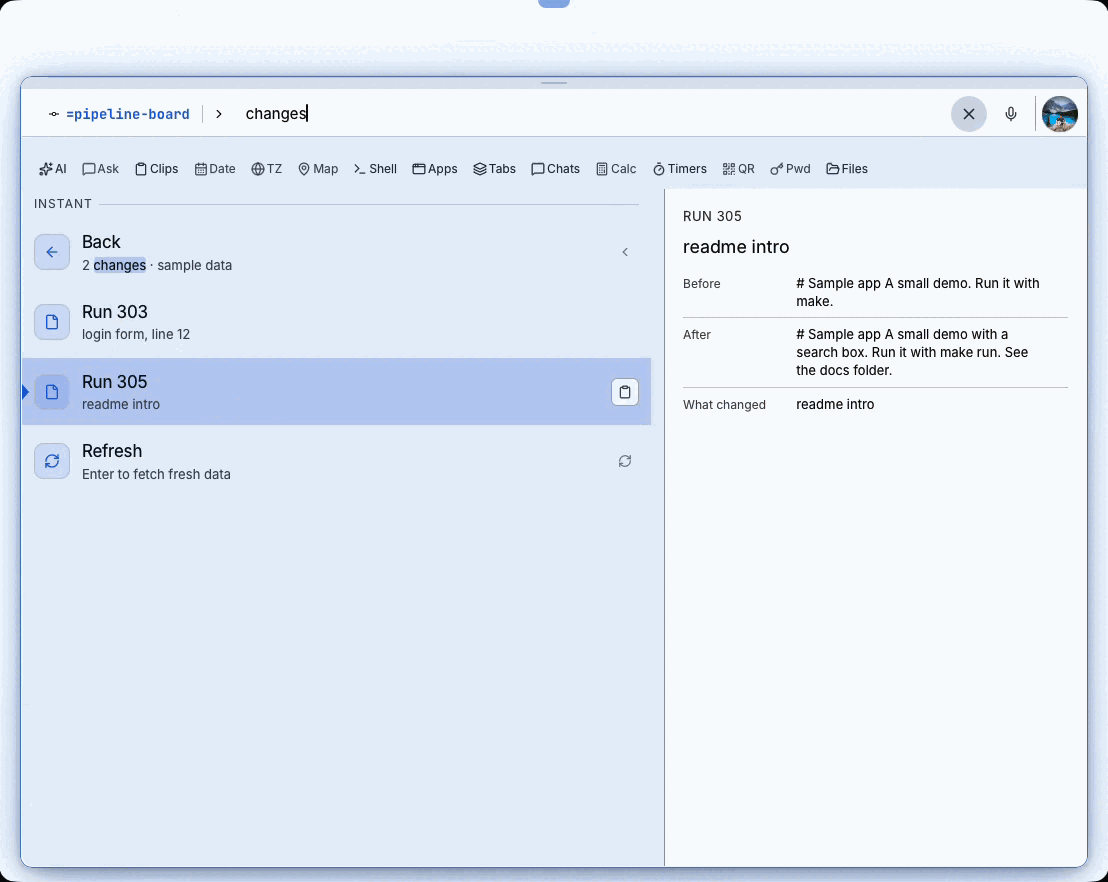
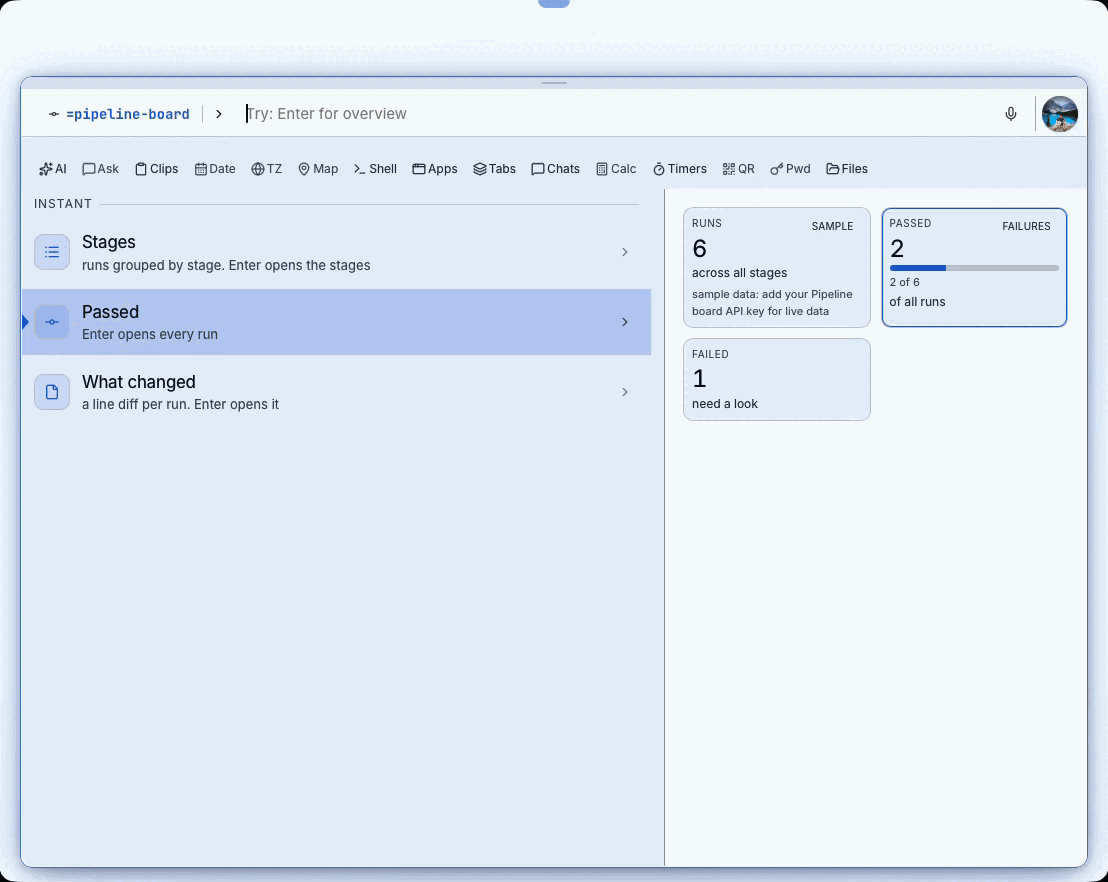
A change shown as Before and After next to the run list.
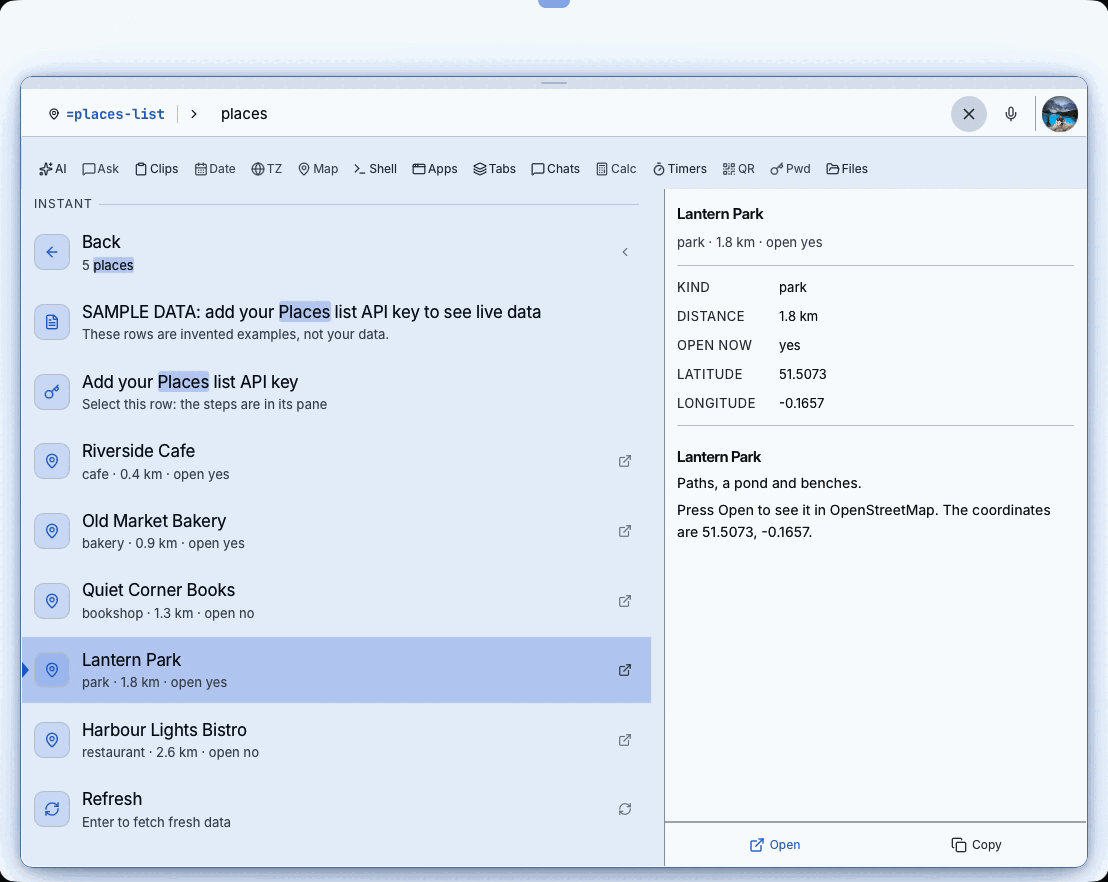
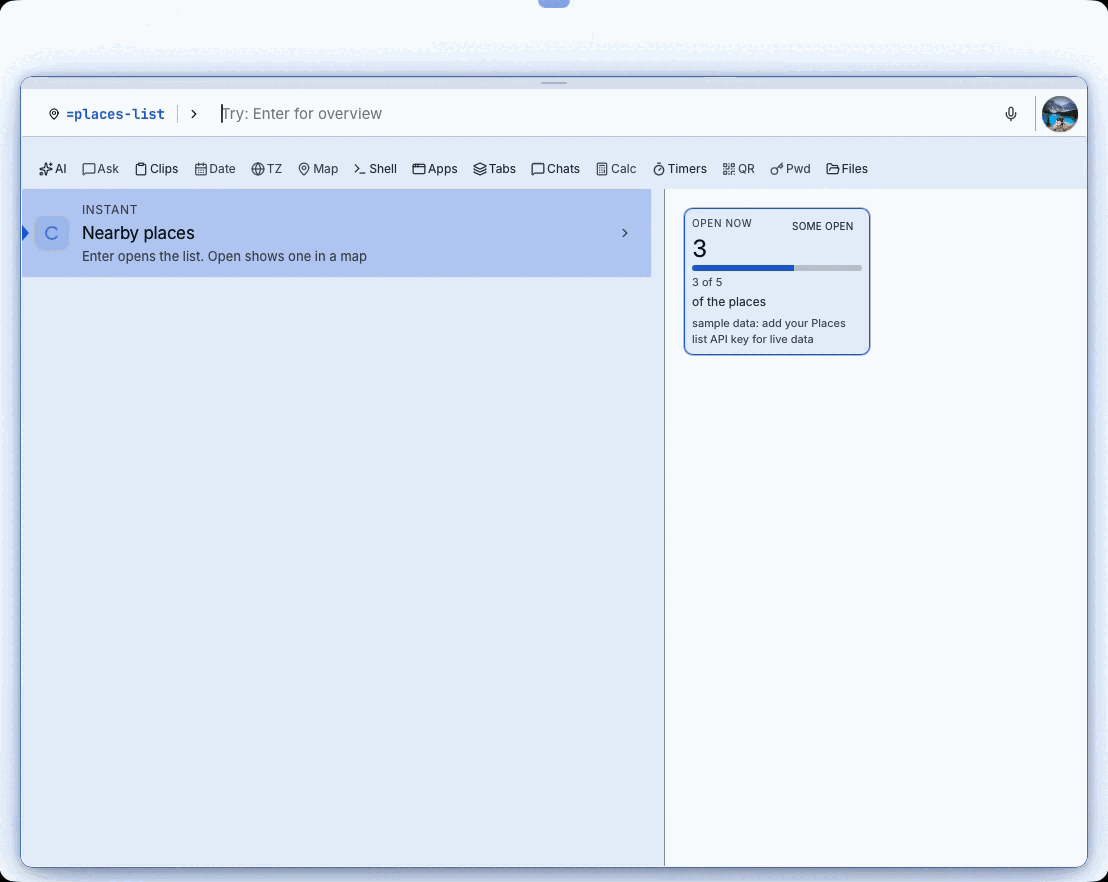
Each place opens in the browser map and copies as text.
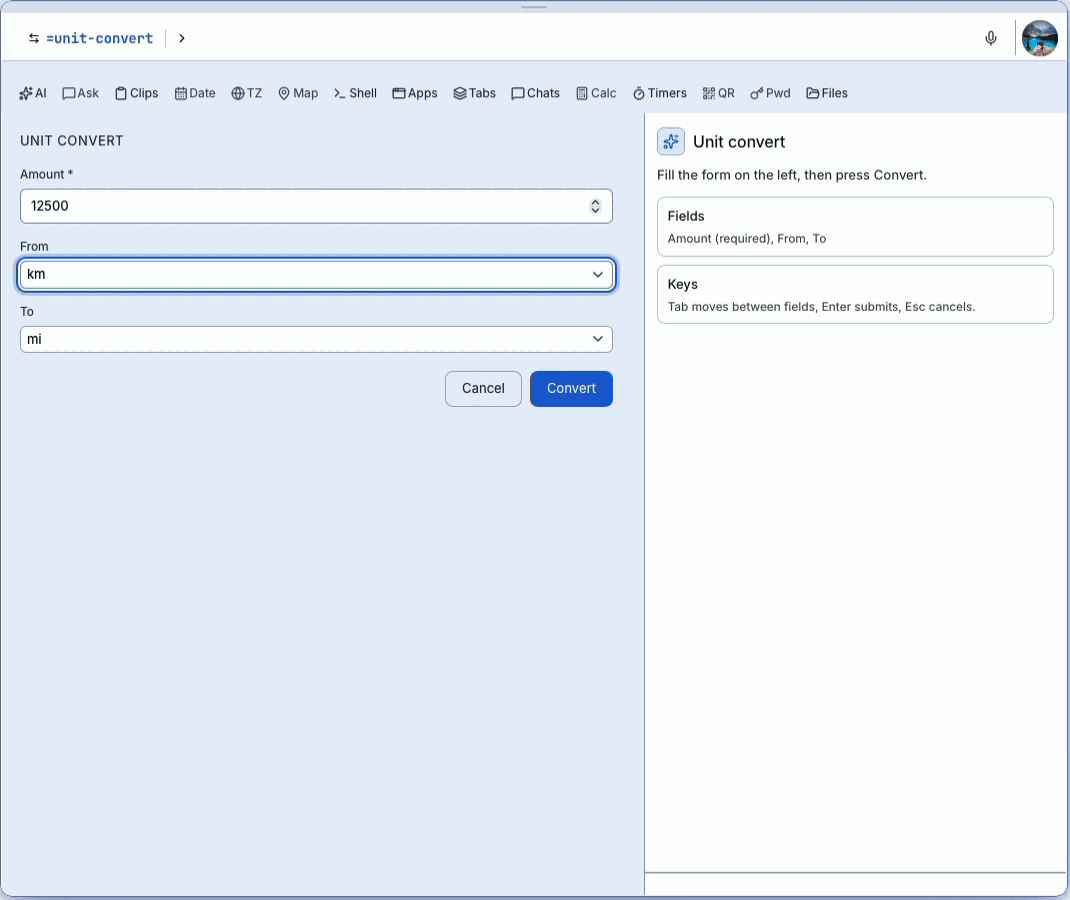
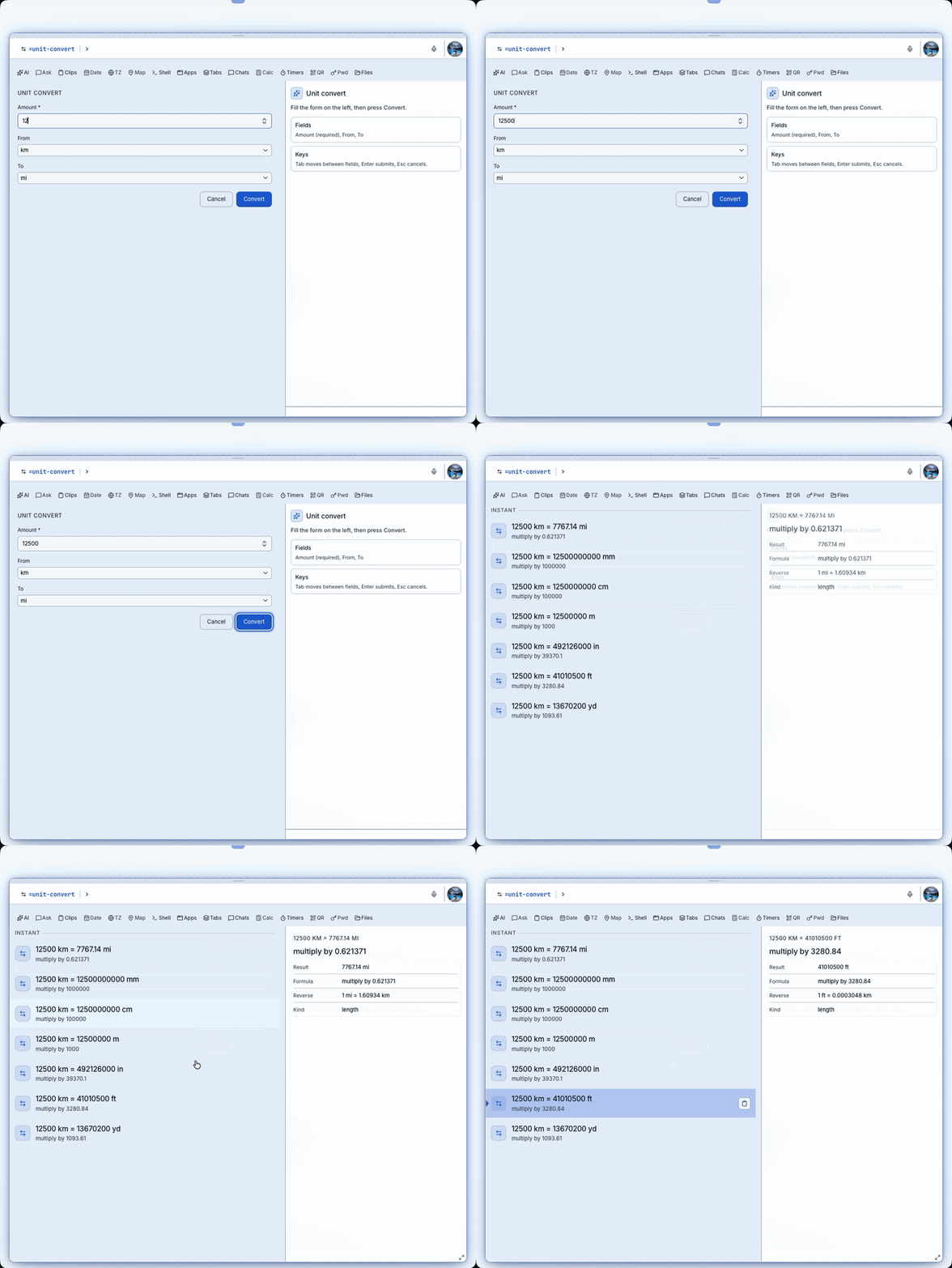
Fill Amount, From and To, press Convert.
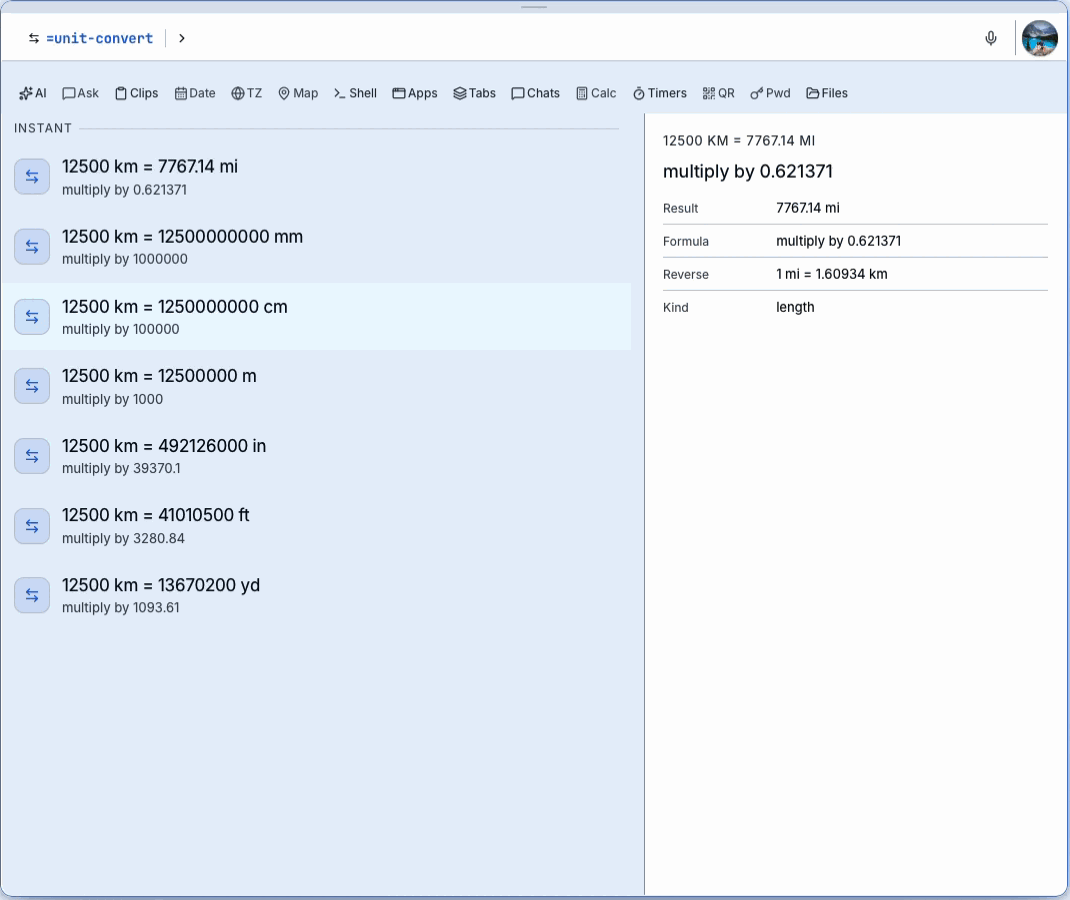
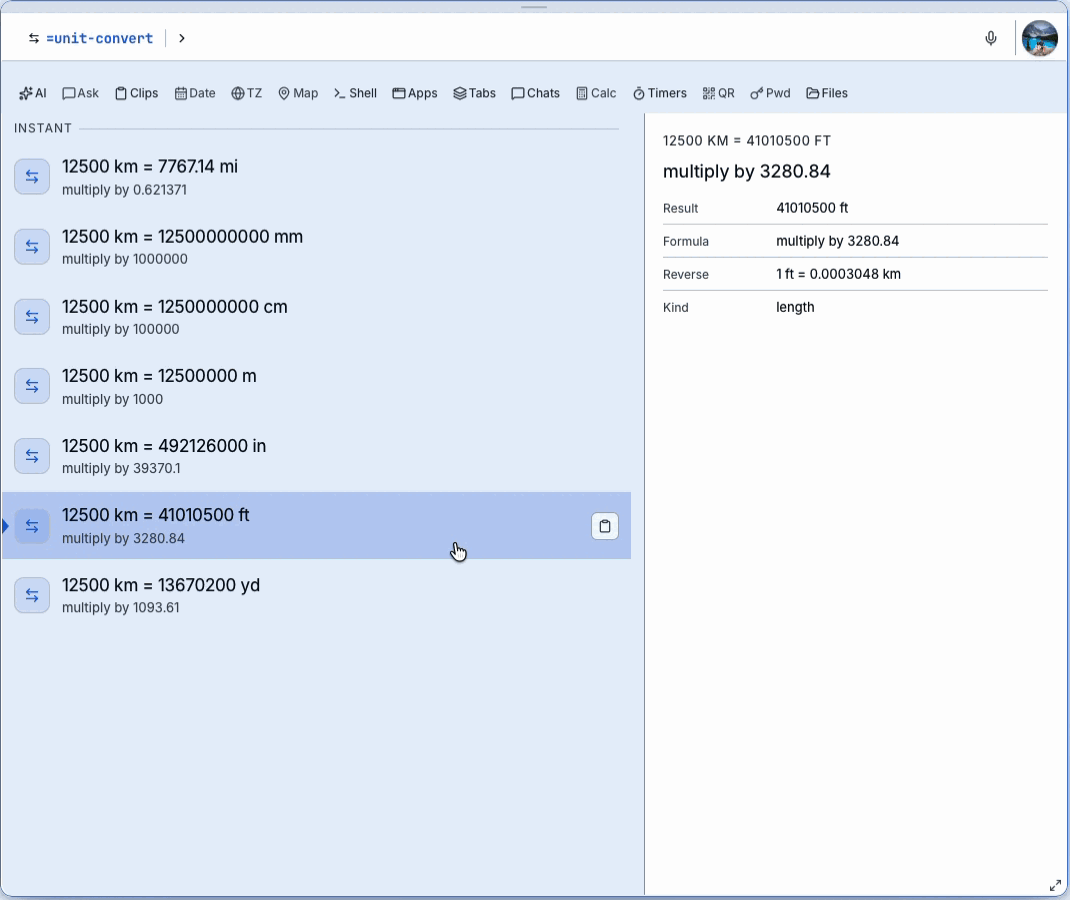
One row per unit; the pane shows result, formula and reverse.
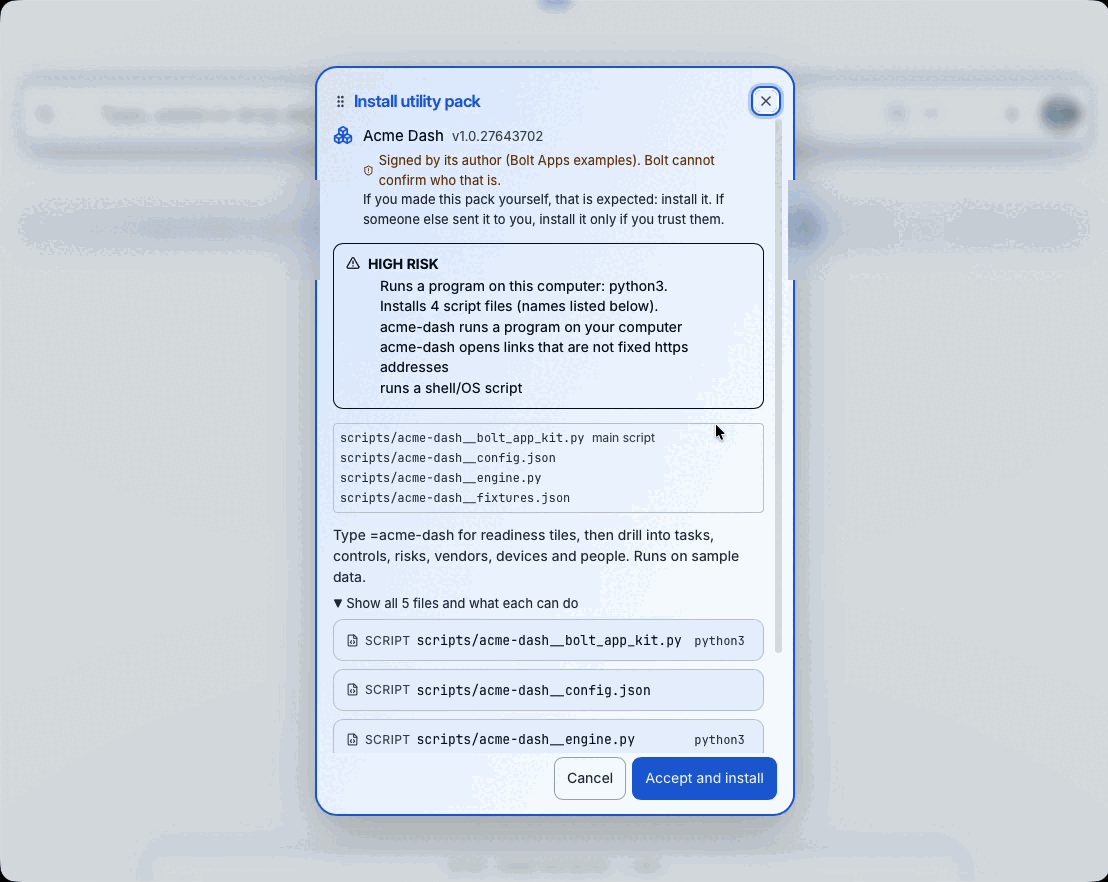
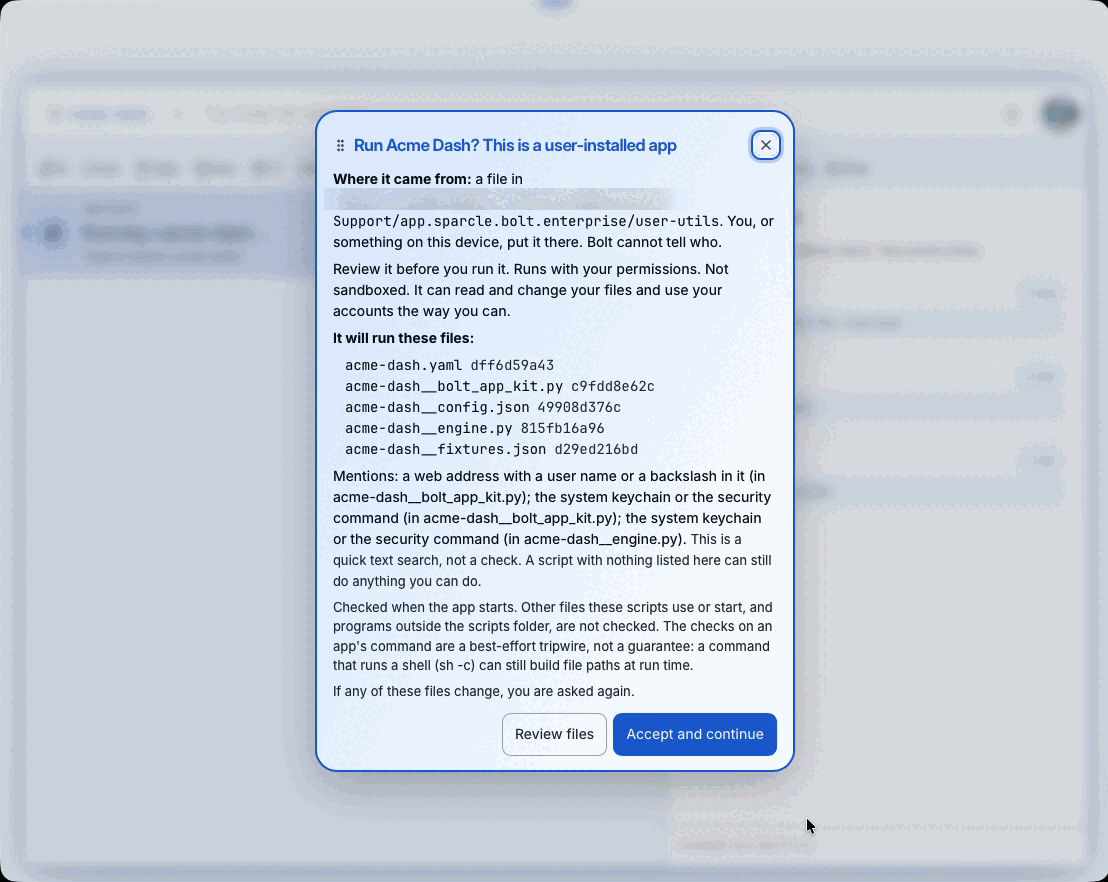
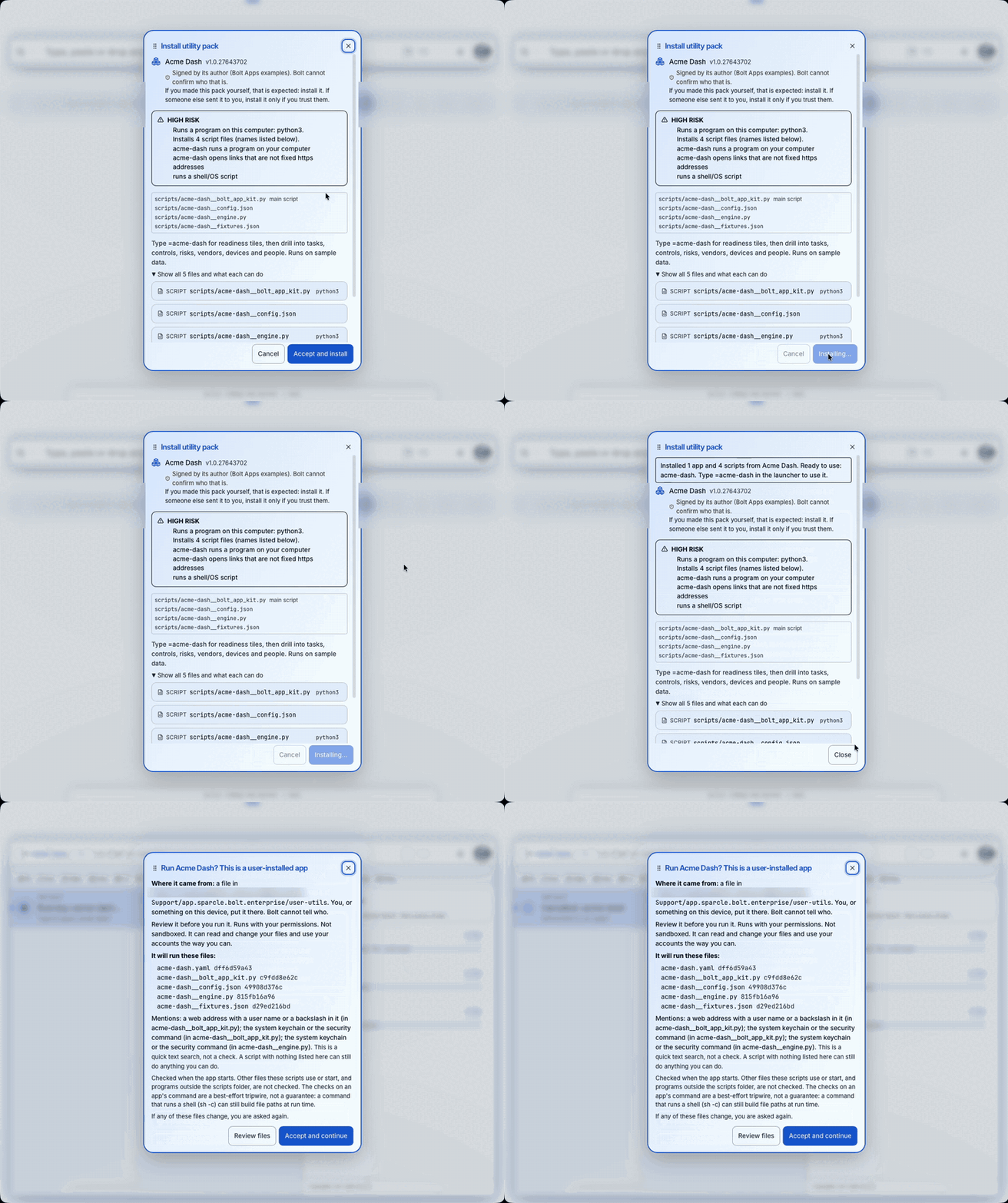
Review what the pack can do, accept, then approve the first run.
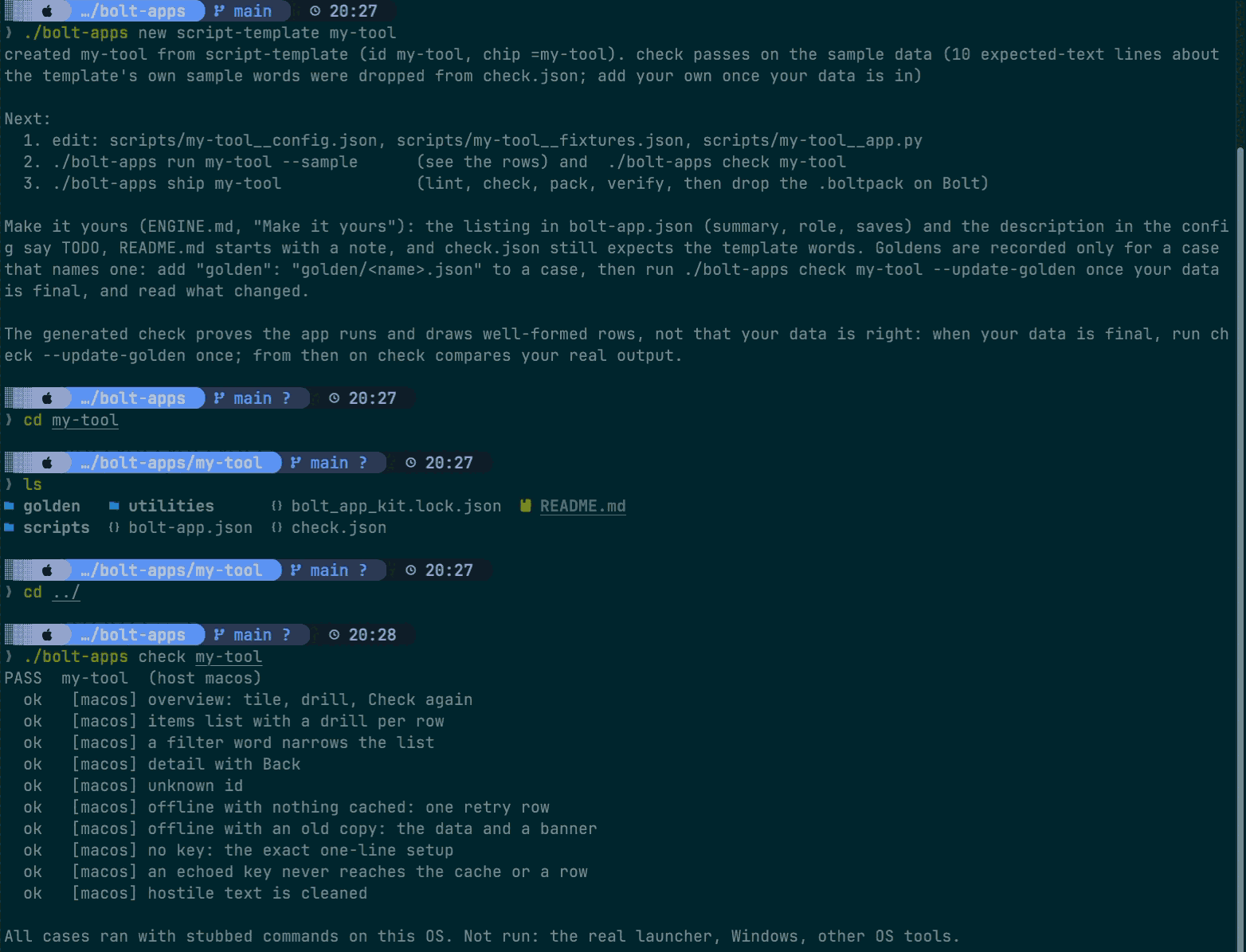
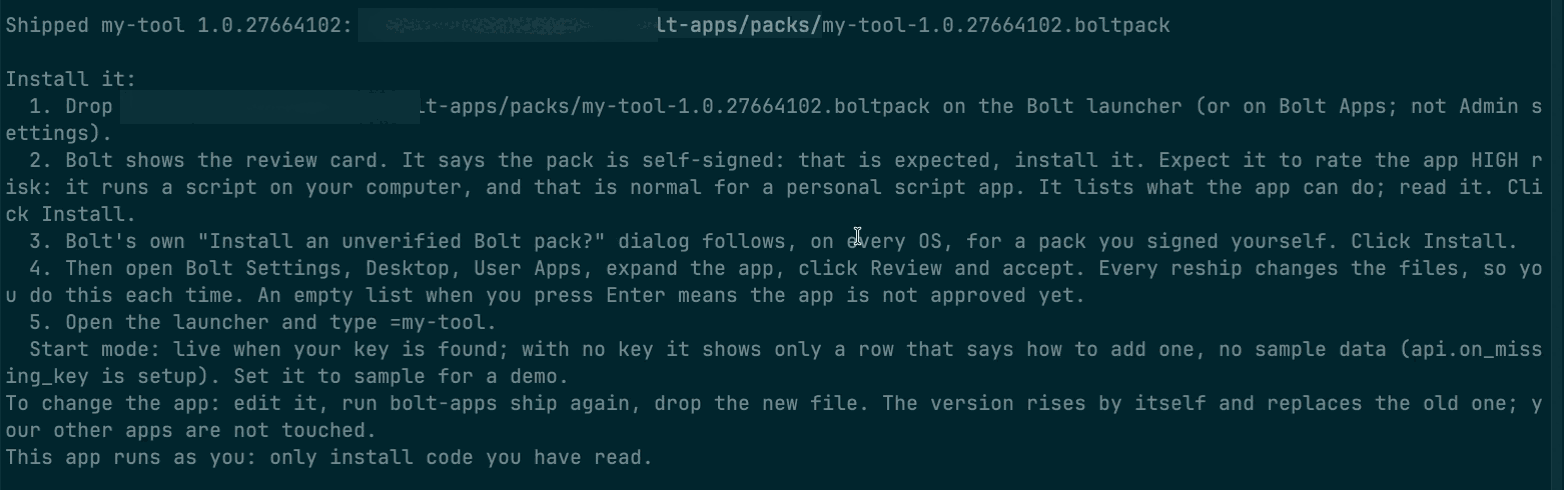
new, check, ship: from template to a pack you can install (the app is named my-tool).
./bolt-apps ship my-tool lints, checks, packs and verifies, then prints the install steps. The app in the recording is named my-tool. The waiting time is cut.The same steps in text: the quick path. The warnings in the clip say the template's listing text still reads TODO: fill it in before you share a pack.